How to
How to download free fonts from Early Font
* The pages are translated to English using the Chrome’s translation tool
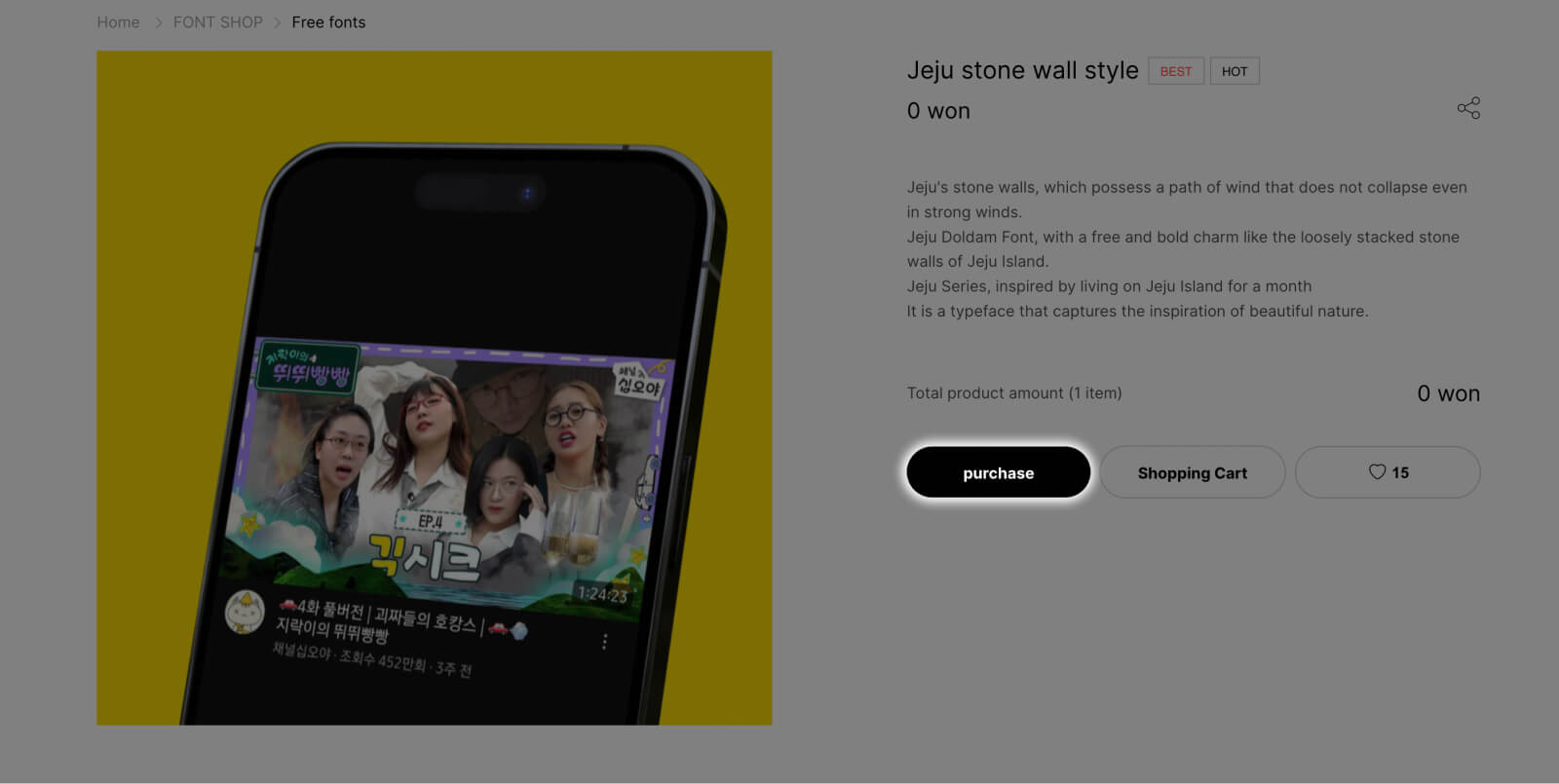
1. Click on the “Purchase” button of the font you want to download.
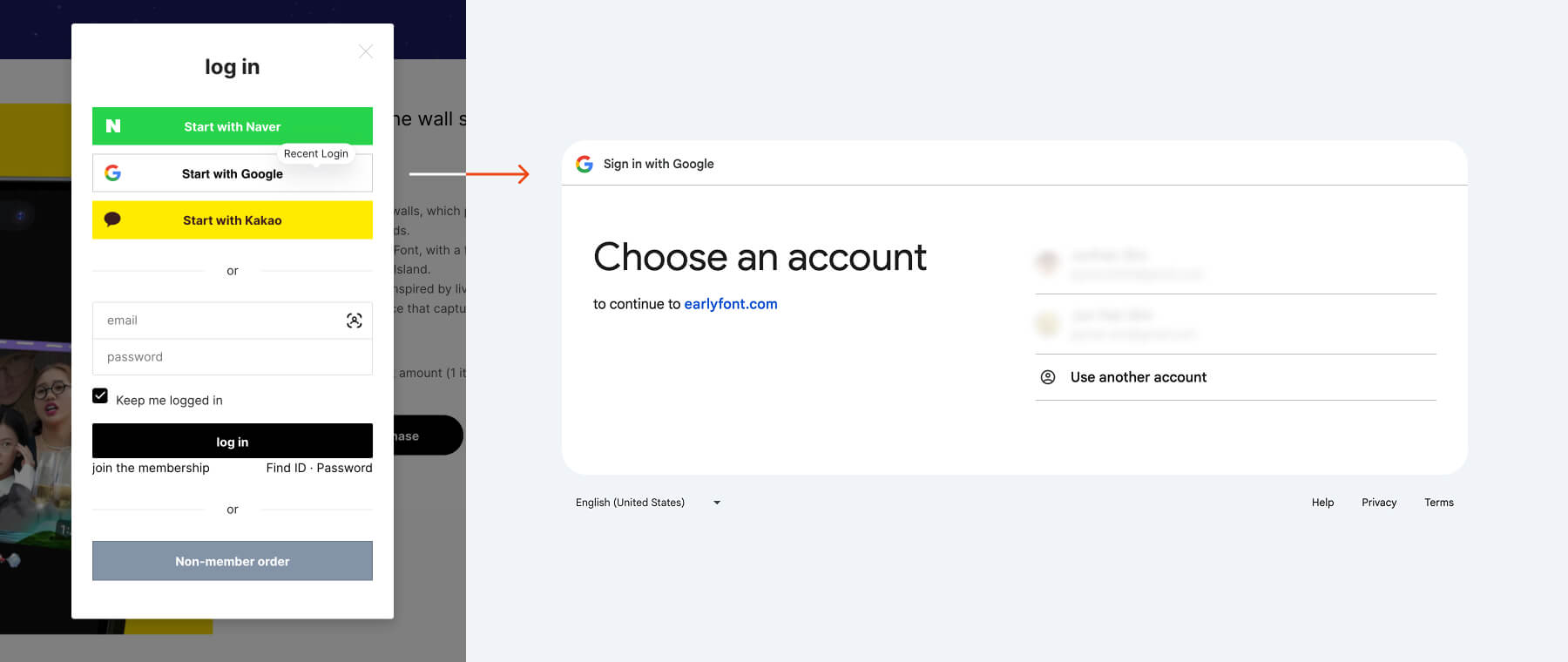
2. Skip this step if you are already logged in. If you’re not, you will be prompted to log in. Here is the example of log in with Google.
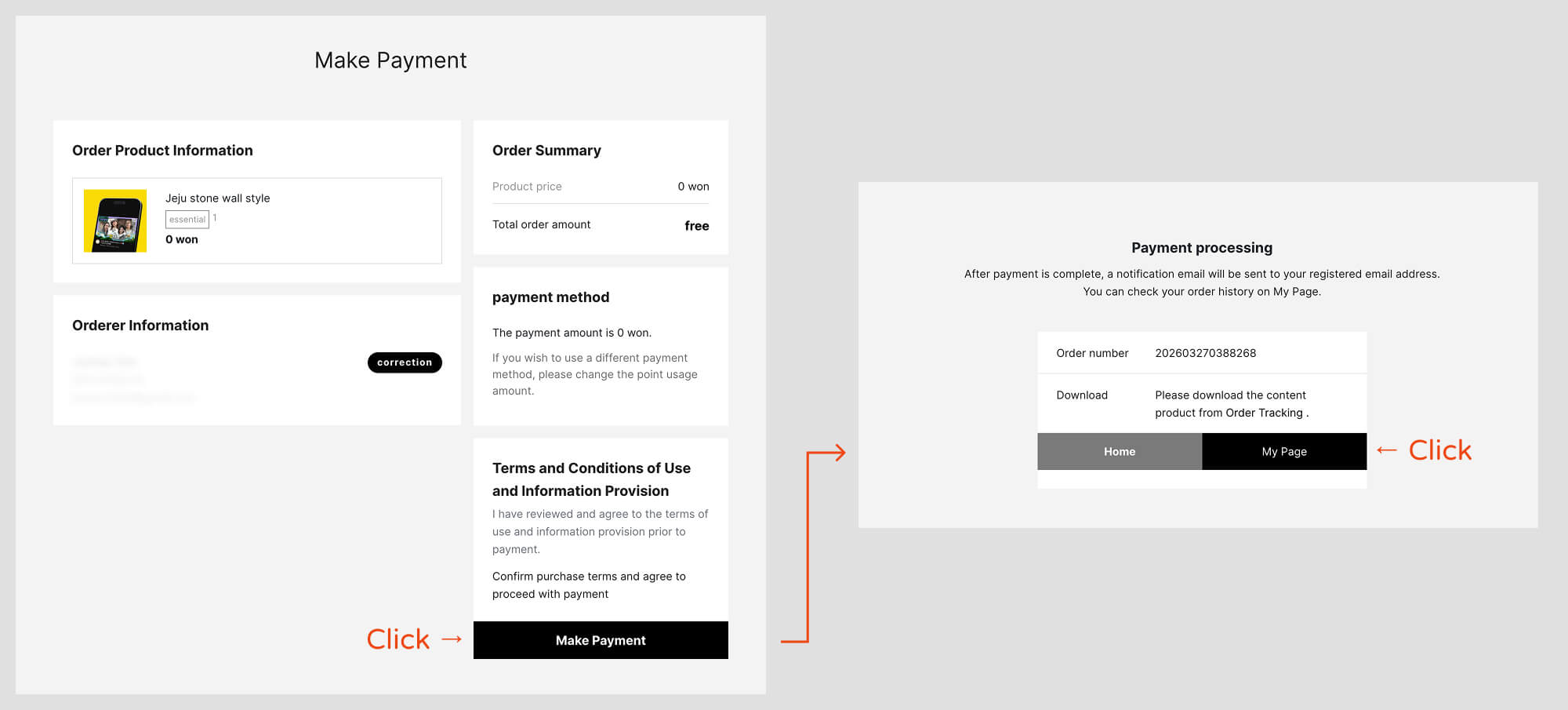
3. Once logged in, repeat the step 1 again. After clicking on “Purchase” button, you will be brought into the make payment page. No worries as since the font costs 0, we will be paying nothing. Proceed to click on “Make Payment”. Then, you will land on the page on the right. Click on “My Page”.
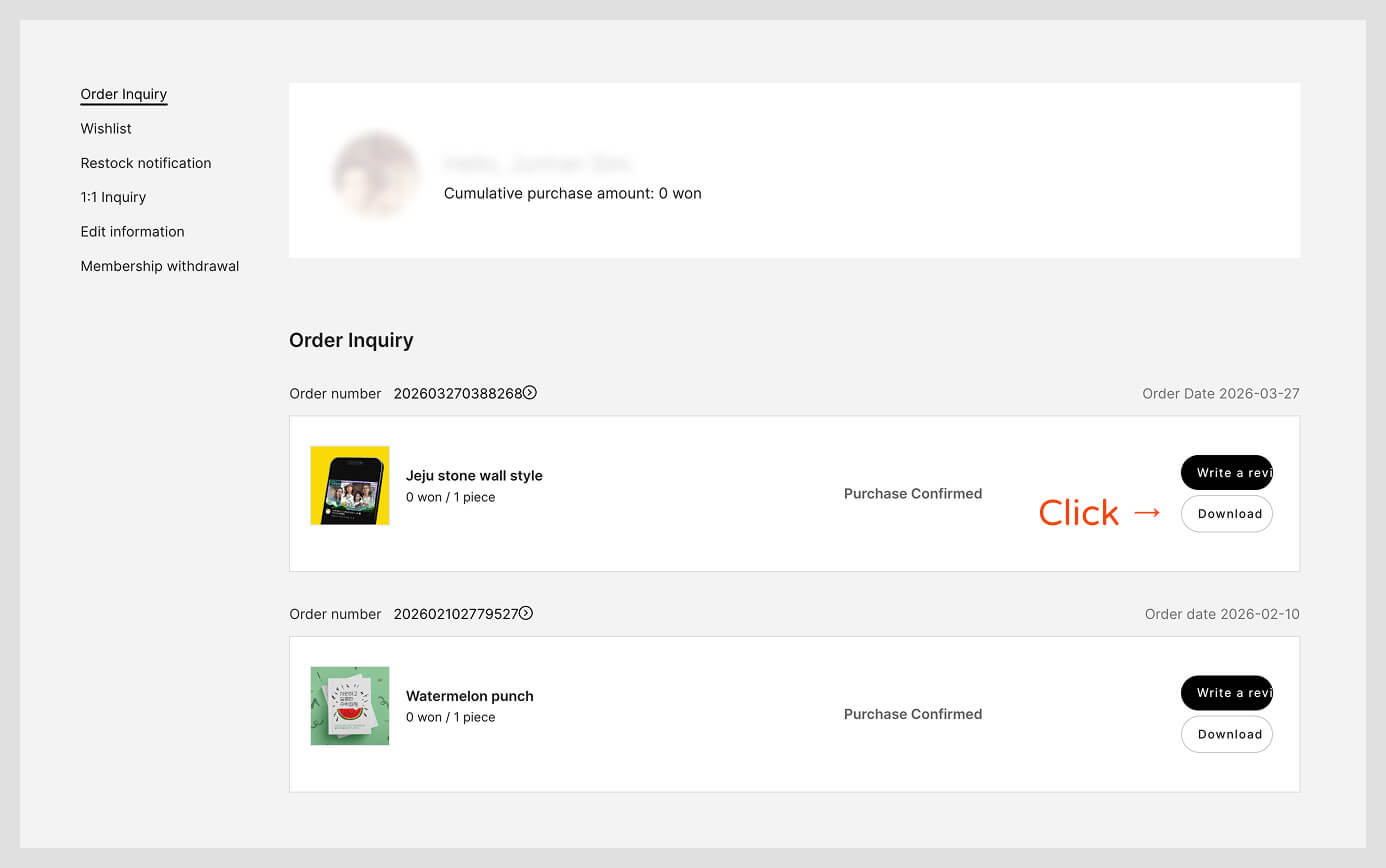
4. In My Page, you will see your purchase history. Just click on the “Download” button to download the font.